On-device library scan
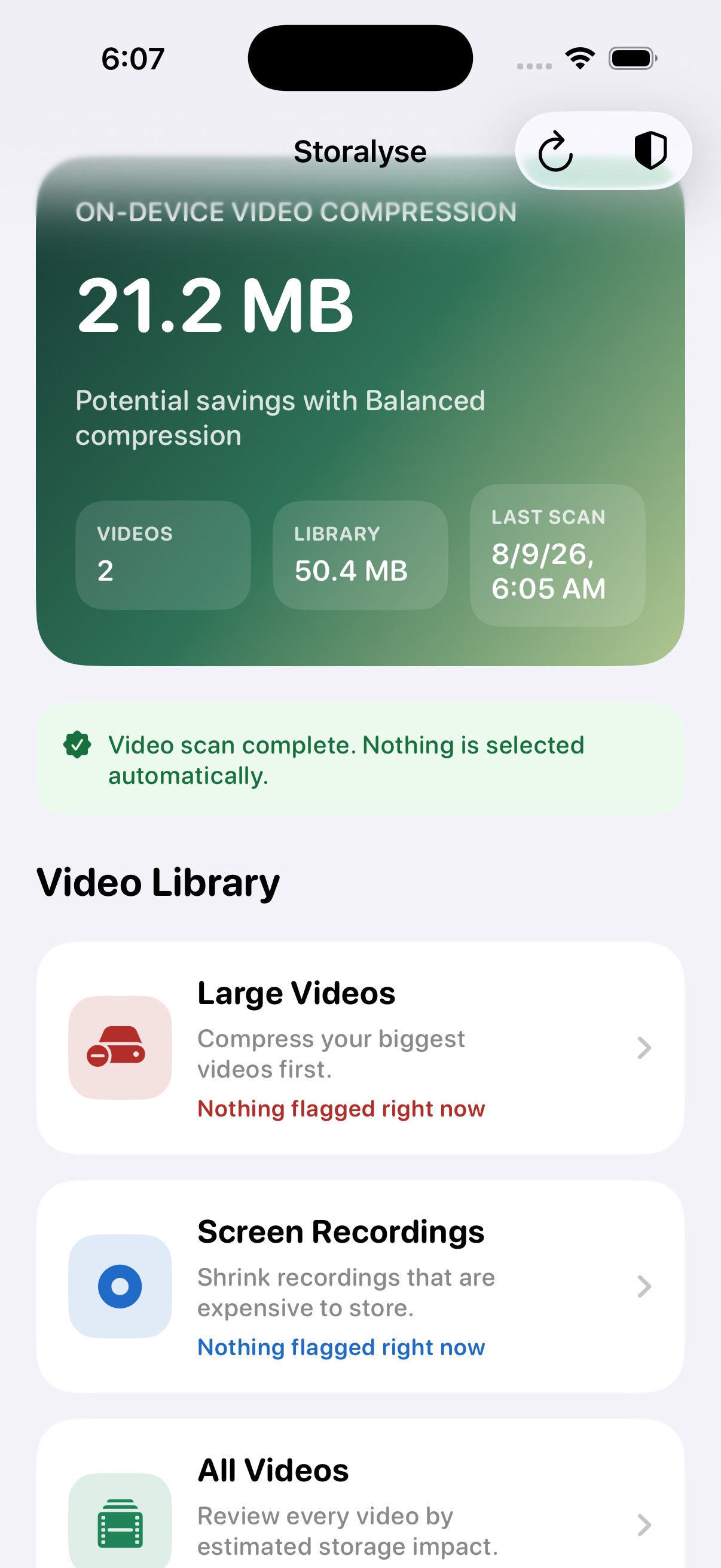
Analyze video metadata locally and summarize video count, estimated library size, and potential compression savings without uploading the photo library to Velunor.
Video storage productivity · iPhone

Understand what your videos cost in storage, choose what matters, and create smaller copies directly on your device. Storalyse turns an opaque Photos library into a clear, reviewable storage plan.
Capabilities
Storalyse is a media management tool, not a system cache or RAM cleaner. It uses Apple's supported Photos and media frameworks to help users review and compress their own videos.
Analyze video metadata locally and summarize video count, estimated library size, and potential compression savings without uploading the photo library to Velunor.
Review large videos, screen recordings, or the full video library. Items are presented by estimated storage impact to make the biggest opportunities easier to see.
Choose Best Quality, Balanced, or Smaller File based on the job. The app shows projected original size, compressed size, and potential reclaimed space before processing.
Storalyse checks that an exported copy completed successfully, has a valid duration, and is smaller than the source before saving it back to Photos.
Compressed copies are standard videos that play directly in Apple Photos. They do not require Storalyse or a later decompression step for playback.
After an operation, review item counts, before-and-after sizes, reclaimed space, quality settings, failures, and whether original videos were kept or replaced.
How it works
Nothing is selected automatically after a scan. The user reviews the library, chooses videos, and confirms each storage action.
Choose full or limited Photos access through the iOS permission prompt.
Scan locally and inspect large videos, screen recordings, or all videos.
Select specific items and compare quality and projected savings.
Keep originals or replace them only after a verified smaller copy is saved.
Inside the app
Storalyse explains estimated savings, quality, selection state, and the result of each operation instead of hiding actions behind a generic "clean" button.
Review estimated savings and move directly into large videos, screen recordings, or the complete video library.
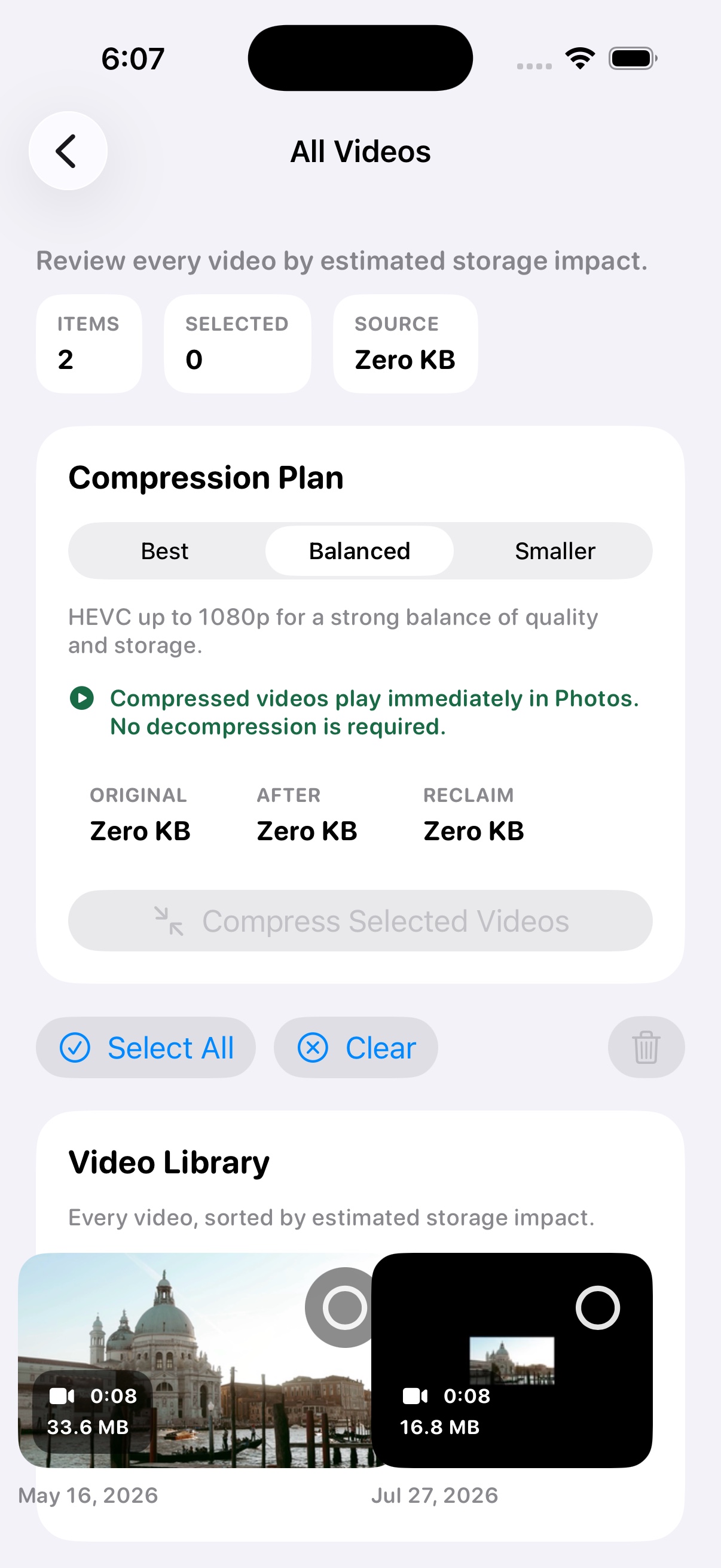
Compare Best, Balanced, and Smaller modes alongside projected source size, output size, and reclaimed space.
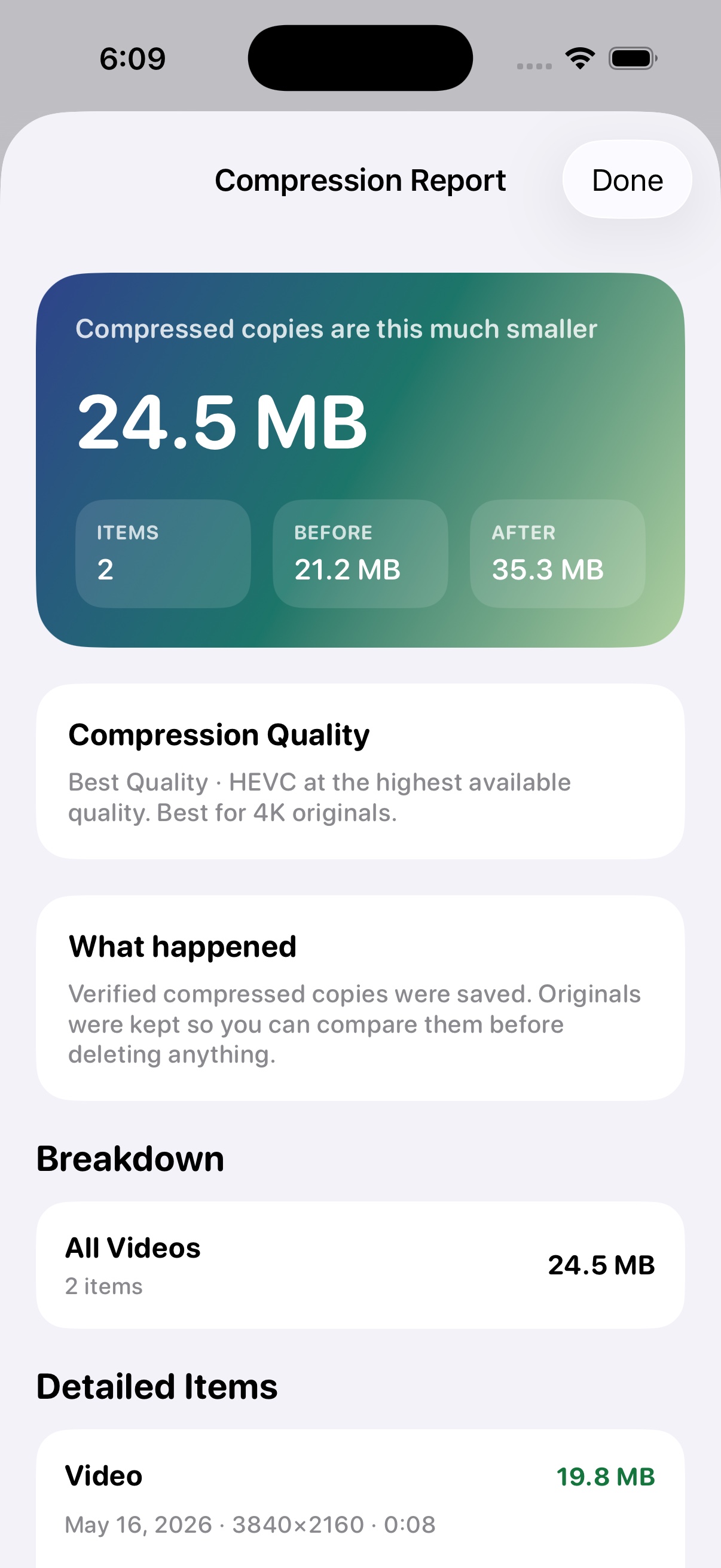
Review saved copies, quality settings, before-and-after sizes, item details, and whether originals were kept.
Privacy and safety
Storalyse does not operate a photo-processing backend. Scanning, estimates, and video compression are performed locally using native iOS frameworks.
Read the product privacy details →Important: Storalyse cannot clear iOS system caches, other apps' data, or device RAM. Videos deleted through the app move to Apple's Recently Deleted album and may continue using device or iCloud storage until the user empties that album or the Photos retention period ends.
Availability: Storalyse is complete and currently being prepared for its initial App Store submission. Features shown describe the current release candidate and may be adjusted during platform review and final quality assurance. App Store pricing and availability will be published at launch.