Import from where you work
Add files from Mail, Safari, Messages, Files, Photos, and compatible third-party apps through the iOS Share Sheet. You can also scan a paper document or select a file directly.
Document productivity · iPhone and iPad

Your important documents, organized, private, and available when you need them. Filestead gives IDs, insurance records, warranties, tax documents, receipts, contracts, and certificates a dedicated home.
Capabilities
Filestead combines capture, organization, search, protection, and portability in one native application. It is designed for important files, not passwords or general cloud storage.
Add files from Mail, Safari, Messages, Files, Photos, and compatible third-party apps through the iOS Share Sheet. You can also scan a paper document or select a file directly.
Organize IDs, insurance, warranties, receipts, tax files, business records, and personal documents. Create and manage categories that match your own life or work.
Search titles, notes, and text extracted locally from supported PDFs and images. OCR helps a scanned document become findable without sending it to a web service.
Add expiration dates to time-sensitive records such as licenses, policies, and warranties, then schedule device notifications so renewals are easier to track.
Use Face ID, Touch ID where available, or the device passcode to protect access when Filestead returns to the foreground.
Create a password-encrypted backup you control. Optional iCloud sync is initiated by the user and encrypts document content before storing it in the user's iCloud account.
How it works
The workflow stays deliberately simple, whether the source is an emailed PDF, a photo, or a paper document in front of you.
Share, scan, photograph, or choose a supported file.
Confirm the title, category, notes, and expiration date.
Browse categories or search the document's indexed text.
Lock the app, export an encrypted backup, or enable optional sync.
Inside the app
A calm interface keeps documents in the foreground, with clear categories, direct search, and familiar Apple-platform controls.
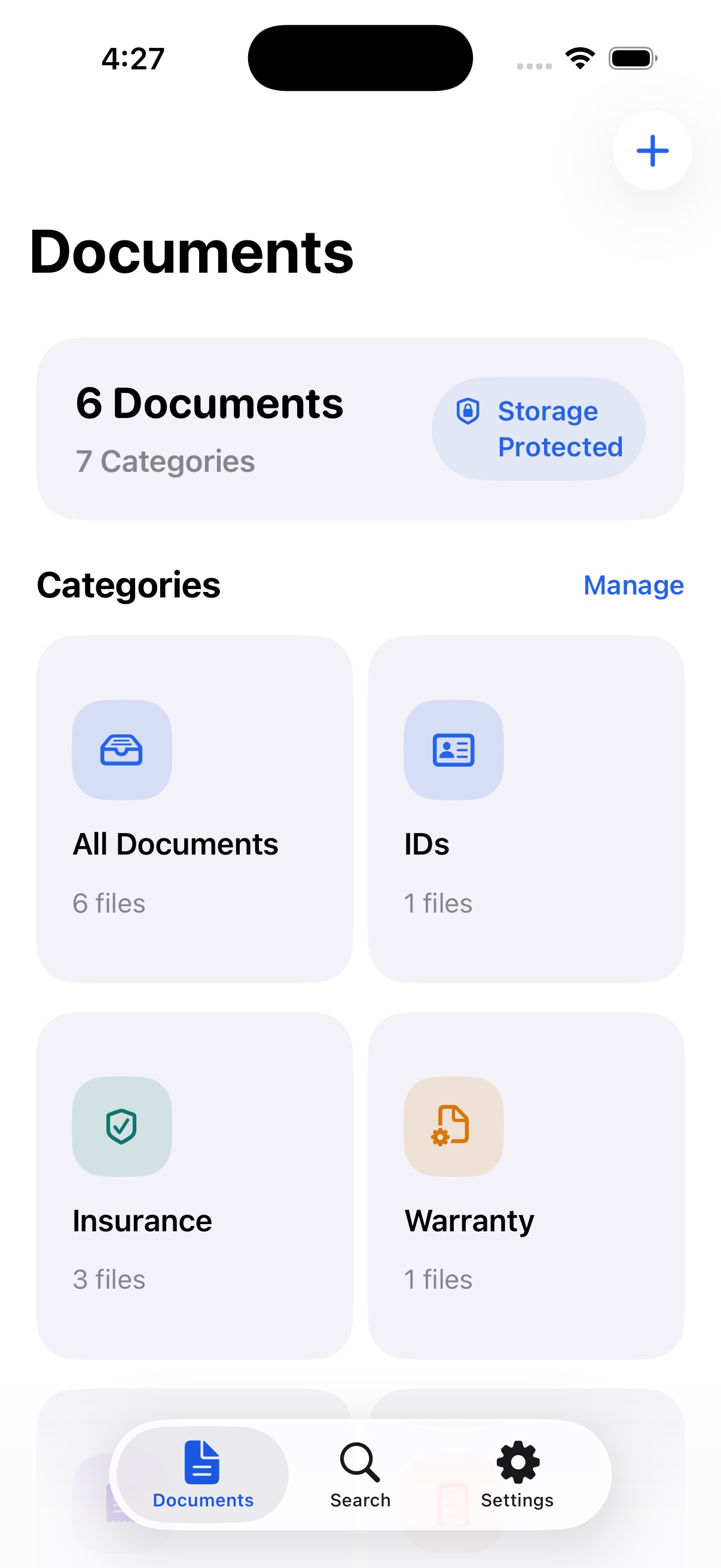
See document and category counts at a glance, then move directly into the collection you need.
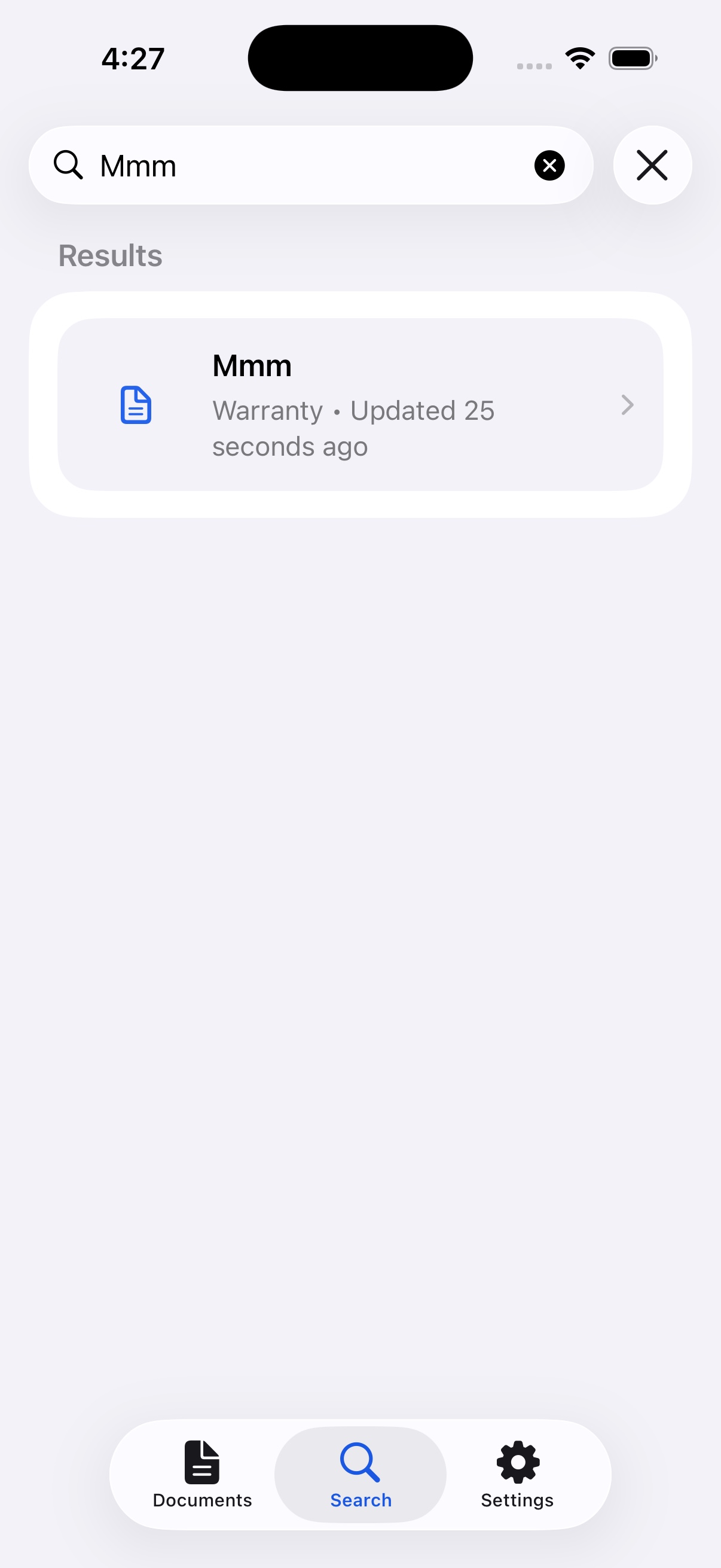
Search titles, notes, and supported on-device extracted text, then open the matching document directly.
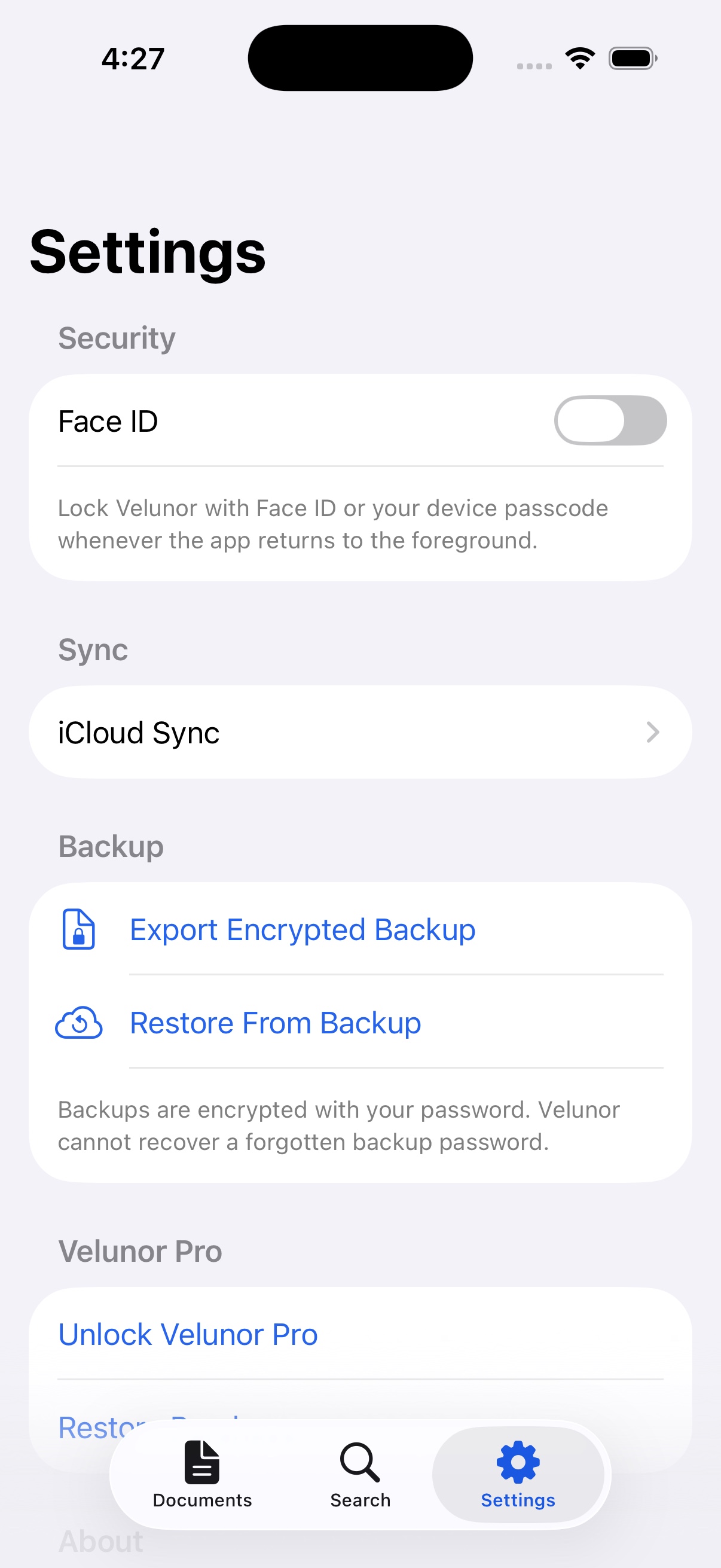
Manage app lock, optional iCloud sync, password-encrypted backup, restore, and purchase access.
Privacy and data
Filestead is designed to work without a Velunor account or a Velunor-operated document server. Core organization and supported text extraction happen on the device.
Read the product privacy details →Availability: Filestead is complete and currently being prepared for its initial App Store submission. Features shown describe the current release candidate and may be adjusted during platform review and final quality assurance. App Store pricing and availability will be published at launch.